top of page


GARYEOW GARYLEI ARCHITECTURE
x
human eye view
worm eye view
bird eye view
Primary as irradance map
secondary as light cache
Exponential color mapping
Adaptive image sampler
make sure vray advanced.
Rendering setup that i used is following some reference online and test rendering on other projects.
The image in red box is after adjust, so i decrease the numbering in tiling to see the realistic effect of soil by comparing before and after view.
Photoshop the image into black and white, increase some saturation for bump and displace.
Google search image of soil, to get the bitmap for diffuse
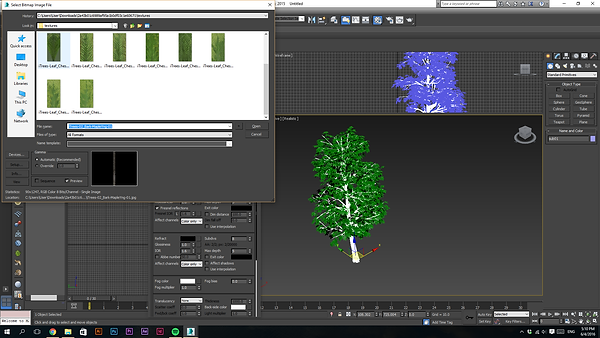
Test render on tree
For trunk and branches, i adjust the TILING to see the texture, as well as the bump.
Apply jpeg as bitmap
After download the tree, extract Winrar
file to normal file
Same as wood door
Wood flooring, same technique to apply on object, i use UMW map to adjust the scale of wood planks
Since the website doesnt provide bamboo, i get BAMBOO BITMAP from google image. Then i apply to diffuse map as main color of bamboo.
Apply wood to the door
Go to website to get vray materials.
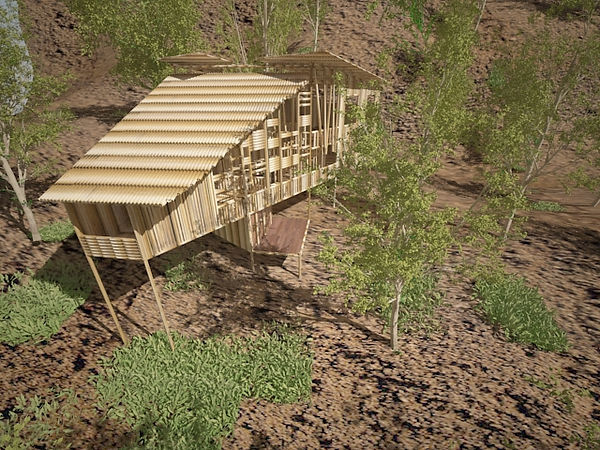




bird eye view
In project 2, students are required to carry out the exterior rendering, from 3 views, normal human eye level view, worm eye view, bird eye view.
In this case, i used vray advanced for the rendering. For the setup i refer to online guide and went through some testing (rendering works can be seen in Architectural Studio 3 project 1).
PROJECT 2a
bottom of page